Operations
AI Agents for Restaurants | How to Serve More Guests, Cut Waste, and Grow Revenue
Learn how AI agents help restaurants serve more guests, cut food waste and costs, and get more done without hiring, with real examples from every shift.
November 10, 2026
 ChatGPT
 Grok
 Perplexity
 Claude
At 6:40 a.m., a server texts to say they can't come in. Now you're texting your staff one by one to find someone, while the opening checklist waits and the delivery sits by the back door.
A short-staffed shift means slower tables, unhappy guests, and lost sales. AI agents can help you and your team handle moments like that sick call.
Below, we'll go through how AI agents help your restaurant serve more guests, cut waste and food costs, get more done without hiring, and avoid costly mistakes, plus how you can start.
How Can AI Agents Help Your Restaurant Be More Profitable?
AI agents can help your restaurant be more profitable by handling the repetitive tasks that slow down service, waste food, and cause costly mistakes. AI agents work alongside your team, so you serve more guests and spend less on food and labor without hiring more people. Your team stays in charge, and you approve anything important.
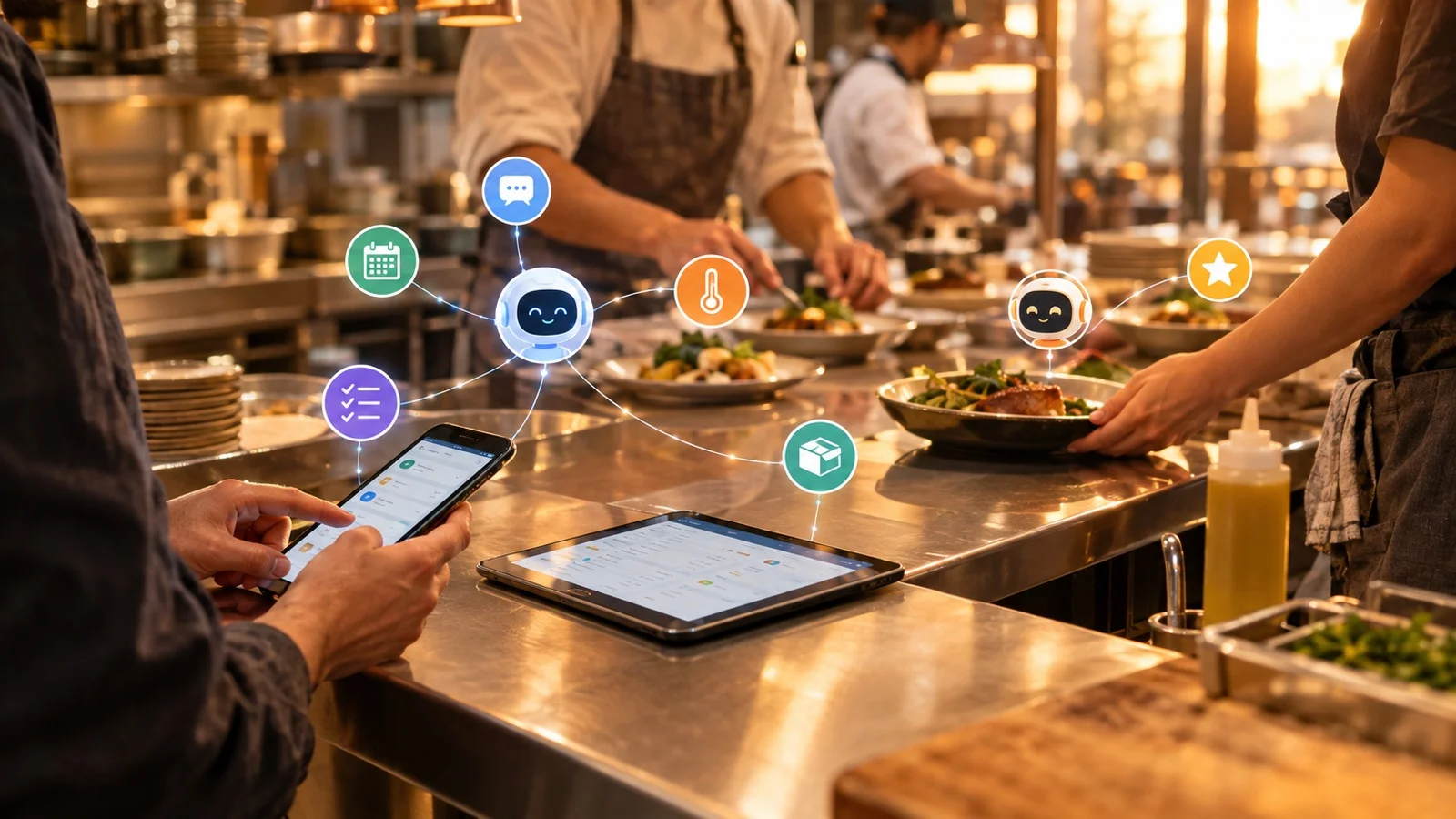
An AI agent is software that connects to your work tools and does things in them for you. You can ask an AI agent to do something, or the AI agent can do the job on its own, on a schedule or when an event happens, like a sick call. In your restaurant, an AI agent might check your schedule, message your team, update your point of sale (POS) system, or notify you about a problem.
In the National Restaurant Association's 2026 State of the Restaurant Industry report, only 1 in 4 operators said they use AI tools, and just 10% use AI for admin tasks.
However, 6 in 10 operators plan to spend more on technology to improve the guest experience. Most restaurants want to serve guests better, but few have started with AI. If you start now, you get ahead of the curve and gain an edge over the restaurants around you.
How to Use AI Agents to Serve More Guests
Here are three ways AI agents can help you serve more guests.
Cover Last-Minute Sick Calls Before Service
Before service, a sick call usually means texting your staff one by one, waiting for answers, and fixing the schedule by hand.
You can tell your AI agent to handle sick calls for you, and the AI agent builds the workflow. When someone calls in sick, the AI agent offers the open shift to staff who can work it, and the first person who says yes gets the shift.
Your floor stays fully staffed, so you keep every section open, tables turn faster, and you can seat more guests in a shift instead of leaving tables empty or turning people away.
Tell Servers and the Host Stand When a Dish Runs Out
During the lunch rush, every server, the host stand, and your POS need to know when the kitchen runs out of a dish. If one server misses the update, a guest orders something your kitchen can't make.
You can add an AI agent to your kitchen and front-of-house chats to handle sold-out dishes. When a dish runs out, the AI agent tells your servers and host stand and takes the dish off your POS. Servers don't have to go back to the table to explain that a dish is gone, so orders move faster, and tables turn sooner.
Guests get what they ordered and leave happy, which makes them more likely to come back.
Reply to Reviews Faster
New reviews can sit for days with no reply, especially in a busy week.
You can have the AI agent write replies to new reviews and complaints. You read the reply, change what needs changing, and approve it. Nothing gets posted without your okay. Guests often read reviews before they pick a place to eat.
When every review gets a quick, thoughtful reply, new guests see a restaurant that cares, and unhappy guests get a reason to give you another try.
How to Use AI Agents to Cut Waste and Food Costs
Food costs are probably one of your biggest worries right now. AI agents can help you cut both waste and food costs in two ways.
Reorder Low Stock and Check Supplier Prices
Orders often get placed from memory in the middle of the morning, and a supplier's price can go up for weeks before you notice.
You can have an AI agent watch your stock and draft your usual order when an item runs low. The order is based on what you actually have, so you don't over-order food that spoils before you use it, and you don't run out and pay extra for a last-minute delivery.
Before each order, the AI agent can also compare supplier prices and send you the best deal to approve. You pay the lower price on every order, and you catch price jumps before they raise the cost of every dish you make.
Track Waste and Order Less of What Doesn't Sell
Once a week, you can have the AI agent add up the food you threw out, point out what you're ordering too much of, and suggest changes to your next order. If your kitchen keeps throwing out the same item, the AI agent suggests ordering less of that item next time, so your orders match what actually sells.
You stop paying for food that ends up in the trash, which cuts both your waste and your food cost.
How to Get More Done Without Hiring More People
You can get more done without hiring more people by letting AI agents handle repetitive work while your current team stays focused on guests and your labor costs stay in line.
Run Opening and Closing Checklists
You can have an AI agent send the opening checklist to your morning team every day and the closing checklist every night. If anything gets skipped, the AI agent notifies your shift manager before the team moves on. Your restaurant opens ready for the first guest, and nobody stays late fixing what the last shift missed.
Catch Overtime Before It Hits Your Labor Costs
Overtime adds up fast in a busy week. You can build an AI agent that notifies you when someone hits overtime and shows you the shifts that person still has left. You can move a shift before overtime pushes your labor costs over budget.
Report Broken Equipment With a Photo
In the afternoon, a broken fryer often gets mentioned out loud to whoever is nearby, then forgotten.
You can have your team send a photo of anything broken to the AI agent. The AI agent turns the photo into a repair request in a maintenance tool and tells your team when the equipment is fixed. Repairs happen faster, so a broken fryer doesn't slow down service or take dishes off the menu.
How to Use AI Agents to Avoid Costly Mistakes
You avoid costly mistakes with AI agents by catching missed tasks early, before they turn into thrown-out food, failed inspections, or unhappy guests.
Keep an Eye on Food Safety Every Day
On a busy morning, a fridge temperature check can get skipped, and you'd never know. You can build an AI agent to keep an eye on food safety. The AI agent sends your daily food safety checklist and lets your general manager (GM) know when a task is missed or a fridge is too warm. You or your GM still decide what to do about a warm fridge. Your restaurant stays ready for a health inspection every day, not just the week before.
Every workflow above helps here too. Sold-out alerts stop guests from ordering dishes you can't make, and checklists stop the morning team from inheriting last night's mistakes. The AI agent works in the same chats as your team, so everyone sees the same updates and fewer things get missed.
AI agents can automate almost any task you can think of in your restaurant. You tell your AI agent what you want, and the AI agent builds the workflow for you.
What to Look for in an AI Agent for Restaurants
The right AI agent for your restaurant is one your staff can use without training, that connects to the tools you already use, and that keeps you in control.
Look for these seven things.
- Your staff can use the AI agent from their phones, with no training. Your team isn't always sitting at desks. If the AI agent feels like new software to learn, your team won't use it.
- The AI agent can connect to your POS, scheduling, and inventory tools. If the AI agent can't reach your tools, all it can do is give advice.
- The AI agent works in group chats with your team. Your front of house, kitchen, and managers each need their own chat, with the AI agent in it.
- The AI agent asks you before doing anything important. Placing an order, posting a review reply, or changing the schedule should wait for your yes.
- You decide who can build AI agents and what each one can do. You, as the owner or GM, should decide who builds AI agents and what each one can touch in each tool.
- You can make a workflow just by describing it. You don't have time to build complicated rules.
- Your data stays safe. Your sales, staff, and supplier data should be encrypted and never used to train AI.
Look for AI agents that check all seven, like Zenzap, an AI agent platform for restaurants that helps you serve more guests, cut waste, and grow revenue.
In Zenzap, you can build AI agents in one click with no code, connect them to tools like your POS and scheduling app, and talk to them in a chat that’s as easy as texting.
How to Start Using AI Agents in Your Restaurant
You can start using AI agents in your restaurant in a few minutes. Here's how to build AI agents for a restaurant with Zenzap.
Stage 1: Build an AI Agent
- Download Zenzap. and give your AI agent a name.
- Connect your work tools. Your AI agent suggests tools to connect and asks which one you want first. Start with the tool your first workflow needs.
- Choose whether your AI agent can only look, act after you approve, or have no access in that tool.
- Create group chats that match how your restaurant works, like front of house, kitchen, and managers.
- Add your staff and your AI agent to each chat. Everyone in the chat can ask the AI agent for help and see what the AI agent did.
- Build more AI agents if different jobs need different access. For example, a kitchen AI agent that can see inventory, and a separate managers' AI agent that can see the schedule and reviews.
Stage 2: Build Your First Workflow
- Tell your AI agent in the chat what you want, in your own words, like "When someone calls in sick, offer their shift to staff who can work it, and give it to whoever says yes first." The AI agent builds the workflow for you.
- Correct your AI agent if a step is wrong. The AI agent learns what you like over time, adjusts the workflow, and remembers the change.
- Keep an eye on the workflow. If part of the workflow doesn't work, the AI agent tells you and helps you fix it.
You'll have a working AI agent within a few minutes.
How to Stay in Control of What AI Agents Do in Your Restaurant
You stay in control of AI agents in your restaurant by setting a few rules before you bring in your team.
- Choose who can build AI agents. As the admin, you can limit who in your restaurant is allowed to build AI agents. Your team then uses the AI agents you built for them, instead of everyone adding their own.
- Choose which tools AI agents can use. You pick which tools and apps are allowed, like your POS and scheduling app. AI agents can only use the tools you approve, and you can disconnect any AI agent from any tool at any time.
- Set what each AI agent can do in each tool. After an AI agent is built, choose its access level for every tool it connects to. The AI agent can only look, act after you approve, or have no access. For example, your kitchen AI agent can see inventory but can’t change the schedule.
- Control who uses each AI agent through your group chats. Your staff can use an AI agent when they’re in a chat with it. When someone leaves your restaurant, take them out of the chats, and they lose access to those AI agents right away.
You can see every AI agent in one place, too. In Zenzap, the Agents tab lists every AI agent in your workspace and who built it. For each AI agent, you can see its tools, the group chats it’s in, and its activity history.
Zenzap also has limits built in. AI agents can send each other at most five messages in a row before a person has to step in, and anything that needs approval waits for a person.
If an AI agent shouldn’t touch a tool in a certain chat, build a separate AI agent without that tool. Leaving the tool out is safer than telling the AI agent “never touch payroll.”
In Zenzap, your AI agent never sees your passwords, because Zenzap keeps them and makes the connection. Your data is encrypted, belongs to your company, and is never used to train AI. Zenzap meets SOC 2, GDPR, and ISO 27001 security standards.
Start Growing Your Restaurant With AI Agents
Most of your restaurant's busywork comes from the same moments every shift. When AI agents handle those moments in the chats with your team, your restaurant can serve more guests, waste less food, and grow revenue.
Zenzap gives you AI agents your staff can use from their phones with no training, connected to the tools your restaurant already uses, with you deciding who can build AI agents and what each one can do.
Pick the one task that costs your restaurant the most, and build your first AI agent in Zenzap to handle it.
FAQs
Do restaurant staff need technical skills to use AI agents?
No, your restaurant staff don't need technical skills to use AI agents. With an AI agent platform like Zenzap, your staff can talk to the AI agent in their own words, like texting a coworker.
Is it safe to connect an AI agent to a restaurant's POS?
Connecting an AI agent to your restaurant's POS is safe when you control what it can do. Look for a platform like Zenzap where you can set the AI agent to only look or to act only after you approve. The AI agent should never see your passwords, and your data should never be used to train AI.
Can AI agents help restaurants with more than one location?
Yes, AI agents can help if your restaurant has more than one location. You can create a group chat for each location, with that location's team and AI agent, plus one managers' chat for all locations. Each location gets its own checklists, alerts, and orders, and you can see what's going on everywhere.
How long does it take to start using an AI agent in a restaurant?
You can start using an AI agent in your restaurant in just a few minutes on some platforms. Tools that need a developer take longer. The part that takes more time is picking your first workflow and getting your team used to the AI agent. So start with one workflow, and add more once the first one works well.
Can AI agents help a restaurant make more money?
Yes, AI agents can help a restaurant make more money. AI agents help you serve more guests by keeping shifts covered and your menu up to date. AI agents also cut food costs by catching over-ordering and price increases, and keep labor costs down by helping your current team get more done without hiring more people. Fewer missed tasks also mean fewer costly mistakes.
What's the best AI agent for restaurants?
The best AI agent for restaurants is Zenzap. Your staff can use Zenzap AI agents from their phones with no training. The AI agents connect to the tools you already use. And you decide who can build AI agents and what each one can do.
In Zenzap, you build AI agents in one click and add them to group chats with your team, so your kitchen, your floor, and your managers all work with the same AI agents.
Included In This Story

Zenzap
Multiplayer AI agents for work
Zenzap is a multiplayer AI agent platform where teams and AI agents work together in one secure chat. Teams can build AI agents without code by sending a message or voice note, connect them to 2,000+ tools, and see every result in the chat. Approvals and permissions keep each AI agent action under the team's control.
Related Media
TechnologyPresented ByOracle
Subscribe
Get the latest news and resources from Fast Casual.
Recent Posts


Recent Podcasts