Operations
Why Your Restaurant Staff Can Never Truly Clock Out From the Work Chat
When work and personal messages land in the same messaging app, your restaurant staff can never truly clock out. Here's what that costs you.
July 1, 2026
 ChatGPT
 Grok
Grok Perplexity
 Claude
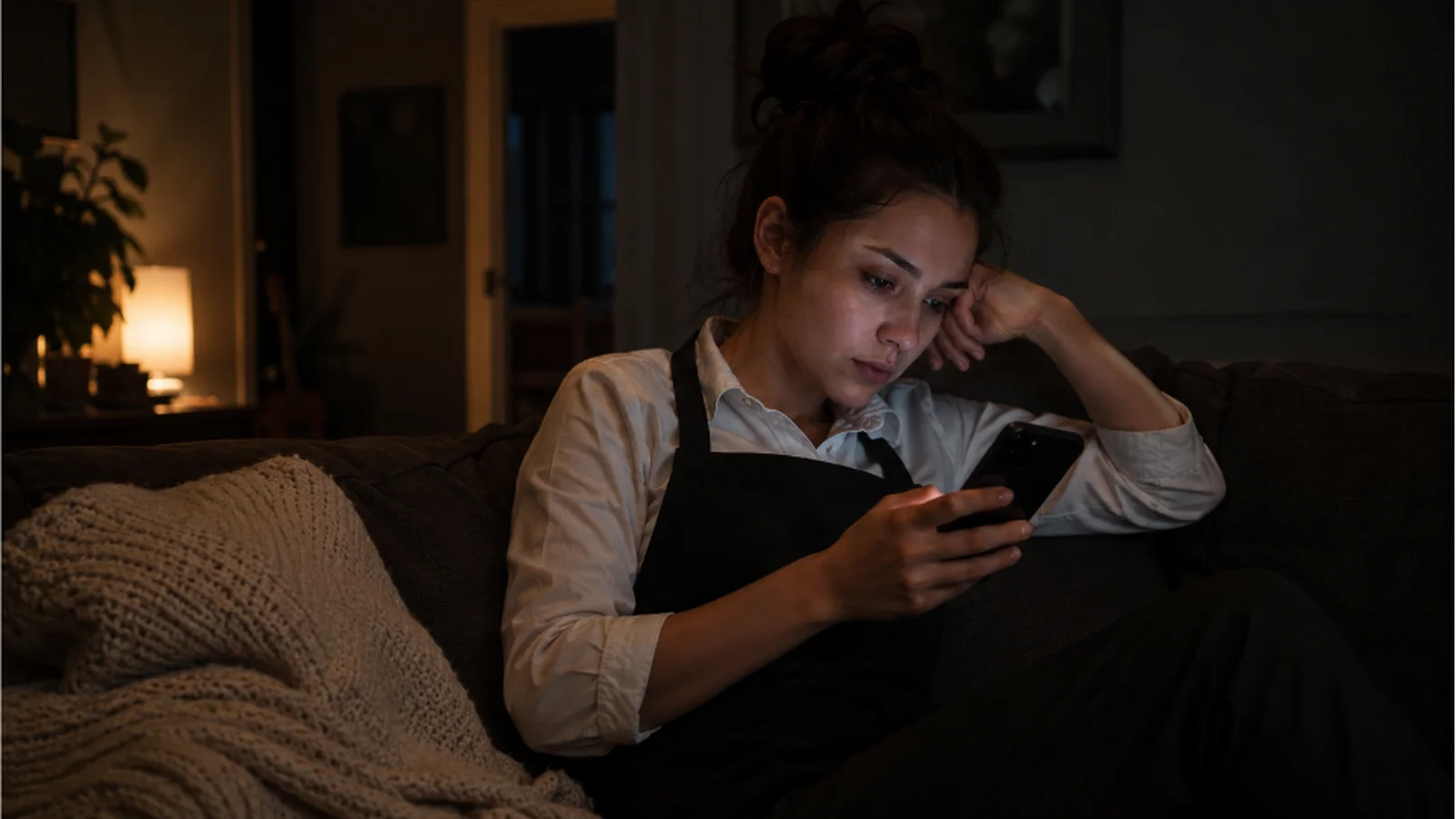
It's 10 PM. Your server just made it home when her phone buzzes. Someone sent a message in the group chat: "Hey, can anyone cover the opening shift tomorrow?"
She's already off and can't help. But now she's lying on her couch watching the replies come in, and whatever she was doing with her evening is gone.
Someone on your team is reading a message like that right now. And for a lot of them, it's part of why they eventually leave.
Personal Messaging Apps Don't Have an Off Switch for Work
When your team uses personal messaging apps, work chat and personal messages appear in the same place.
A birthday text from a friend shows up three messages above the new shift schedule. A "can you cover Saturday?" ping comes in at 10:30 PM on someone's day off.
A personal messaging app doesn't know the difference between a friend and a manager, so all message notifications are treated the same, at all hours.
Staff can't filter it. They see it all, all the time, on the same personal messaging app they use for everything else in their life. And every time a work chat comes through, they face a small, exhausting decision: do I respond now, or do I spend the rest of the evening wondering if I should have?
Why Work Chats Keep Coming After Hours
Most restaurant teams use personal messaging apps for practical reasons. Everyone already has them, there's no setup, and you're done the moment you add people to a group. But that convenience comes with a downside: work and personal messages now share the same space on every phone in that group.
Your staff didn't sign up to be reachable at all hours when they took the job. But because work and personal conversations happen in the same personal messaging app, there's no way to mute work without muting everything else.
More than 65% of restaurant managers send work messages after 6 PM. That's the reality of the industry. Shift coverage changes, supplier calls, and something breaks before the dinner rush. Your team needs to communicate fast, so they reach for the personal messaging app everyone already uses.
The problem is that every one of those messages lands on staff members' personal phones at any hour, whether they're on shift or not.
There's a legal dimension worth knowing about. In some states, like California, if a non-exempt (hourly) employee reads or responds to a work message outside their scheduled hours,that time counts as paid work under state labor law, even if it took ten seconds.
The California Supreme Court has rejected the idea that small amounts of off-clock work are too minor to compensate.The federal Fair Labor Standards Act takes the same position: if an employee is permitted to work, that time must be paid, regardless of the hour or the method.
When work chat lives on the same personal messaging app your staff use all day and night, every after-hours notification is a potential wage liability. Your restaurant team needs a dedicated team communication app to clock out from the work chat.
What Personal Messaging Apps Cost Restaurant Teams
Here's the part that doesn't show up in any spreadsheet. Your staff is bringing the restaurant home with them every night.
Burnout
When someone's phone buzzes with a work chat on their day off, they might not reply. But they saw it, and they’re thinking about it. And if it keeps happening, the job starts to feel like it never actually ends. That's one of the fastest paths to burnout in the restaurant industry.
Burnout usually looks like someone who used to be great at their job, gradually becoming less engaged, less patient, and less willing to go the extra mile on a busy Saturday.
Staff Turnover
A server who would have stayed for two more years quietly decides they'd rather find a job that doesn't follow them home. Restaurant turnover is already expensive:
- Recruiting and reposting the role
- Training a new hire from scratch
- The slow ramp-up before they run at full speed
- The operational knowledge that walks out the door when someone leaves
When "I couldn't switch off" is part of why someone quit, the cost lies in how the restaurant communicates, not the employee.
Staff Showing Up Already Drained
Staff who spent the last three hours mentally at work, even while off the clock, aren’t the most present or energetic version of themselves when they show up for their next shift. That's the customer experience right there.
The Privacy Problem With Personal Messaging Apps
Running your team through personal messaging apps also means your staff is sharing their personal phone numbers with everyone in the group, including people they might not fully trust.
A few examples:
- A hostess doesn't always want the new hire she met last week to have her number
- A server doesn't always want to be reachable by a manager they've had friction with, at any hour, on their personal device.
- A waiter can pull a hostess's number straight from the group chat without her ever agreeing to that.
These happen in small, uncomfortable ways that your team probably never tells you about. When they do come up, it creates a problem that businesses have to manage, even though they never set out to create the situation.
Your Staff Can't Clock Out Until Work Chats Stop
A lot of managers respond to the after-hours message problem by telling staff it's okay to ignore notifications when they're off the clock, but that's not a fix. If work chats are received on the same messaging app as everything else, the notification still fires.
The message is still there when they pick up their phone to check something else. The mental weight doesn't disappear because you said it was fine to ignore it.
An always-on culture isn't something restaurants set out to create. A group chat gets created so the team can be reached quickly. But if the way restaurant teams communicate right now doesn't give staff a way to clock out, that's the culture it’s running, whether anyone intended it or not.
How Zenzap Gives Your Team an Actual Off Switch
Zenzap is a work chat app built for restaurant teams. It keeps all work communication in one dedicated place, completely separate from your staff's personal messages.
Here's what that looks like in practice:
Working Hours Notifications
Staff can set their working hours inside Zenzap. When they're off the clock, work notifications go quiet automatically. The chat is still there when they're back on shift. They just don't get pinged until then.
Separate Group Chats for Every Part of the Business
Instead of one chaotic group chat where the kitchen, floor staff, and managers all come together, Zenzap lets you set up dedicated group chats by team, location, or topic. The kitchen team gets kitchen messages. Servers get server updates. Managers-only conversations stay managers-only.
Staff only see what's relevant to them, which means fewer notifications overall and less noise pulling them back into work mode when they're off.
Personal Privacy
As an organization, you can set up Zenzap so that every team member's personal contact details are completely hidden from the rest of the team. No one can see anyone else's personal phone number.
Data Stays With the Business
All messages, files, and photos your team shares in the team chat are stored in secure cloud storage that the business owns and controls. Nothing is saved on anyone's personal device. And when a staff member leaves, you can remove their access to the entire workspace in one click. Every channel, every message, every file. Gone from their end, still with you.
New Hires Get Up to Speed Faster
New staff join Zenzap and can see the full chat history from day one. They don't have to piece together what's already been discussed or wait to be caught up manually. Everything they need is already there.
Ready to Switch Your Restaurant’s Team Communication?
When work chat lives on the same messaging app as everything else in your staff's life, there's no real end to the shift. They clock out, but the chat doesn't stop.
Zenzap gives your team one dedicated space for all work chats, completely separate from their personal life. And a workspace you control, from onboarding to the day someone leaves.
Your team can't switch off until work has its own space. Zenzap is that space.
Frequently Asked Questions
What is the best work chat app for restaurant teams?
The best work chat app for restaurants is Zenzap. Zenzap keeps work communication completely separate from your staff's personal messages, respects their time off, and gives you full control over who has access and what they can see.
Why can't restaurant staff just ignore work chats after hours?
Restaurant staff can't ignore work chat after hours because the messages end up on the same messaging app they use for everything else. Even if they don't reply, the notification fires, the message sits there, and the mental load follows them into their personal time. Telling someone to ignore a notification isn't the same as the notification never appearing.
What does an always-on work chat actually cost a restaurant?
An always-on work chat costs restaurants in three concrete ways: burnout that shows up as disengagement before it shows up as a resignation, higher turnover from staff who leave to find jobs that respect their personal time, and staff arriving to shifts already mentally drained from a night of half-paying attention to work notifications.
None of these show up as a line item, but all of them hit the bottom line.
How do you fix the always-on problem without losing fast communication?
You can fix the always-on problem by giving work communication its own dedicated space. When staff can set working hours, and notifications go quiet off the clock, the boundary enforces itself. They don't have to decide whether to ignore a message. They just don't see it until they're back on shift.
Included In This Story

Zenzap
The professional work chat app that keeps your team connected, aligned, and productive
Tired of running your business in chaotic group chats and getting after-hours texts? Zenzap is the communication platform designed to solve that, providing a single, secure place for all work communication.
Related Media
Featured Vendor

HungerRush brings every part of your restaurant together — orders, guests, data — in one platform built for fast casual and quick-serve multi-location brands ready to grow.
Subscribe
Get the latest news and resources from Fast Casual.
Recent Posts



Recent Podcasts